
Features
From patient intake to payment, everything stays connected.
Most clinics run on a mix of paper forms, a shared calendar, a spreadsheet of claims and an accounting package. Medfair pulls that work into one shared record. Your team sees a clearer day, hands fewer things off, and enters nothing twice.
Built for orthotics, prosthetics, mobility and hearing clinics in Ontario.
Ontario ADP claims
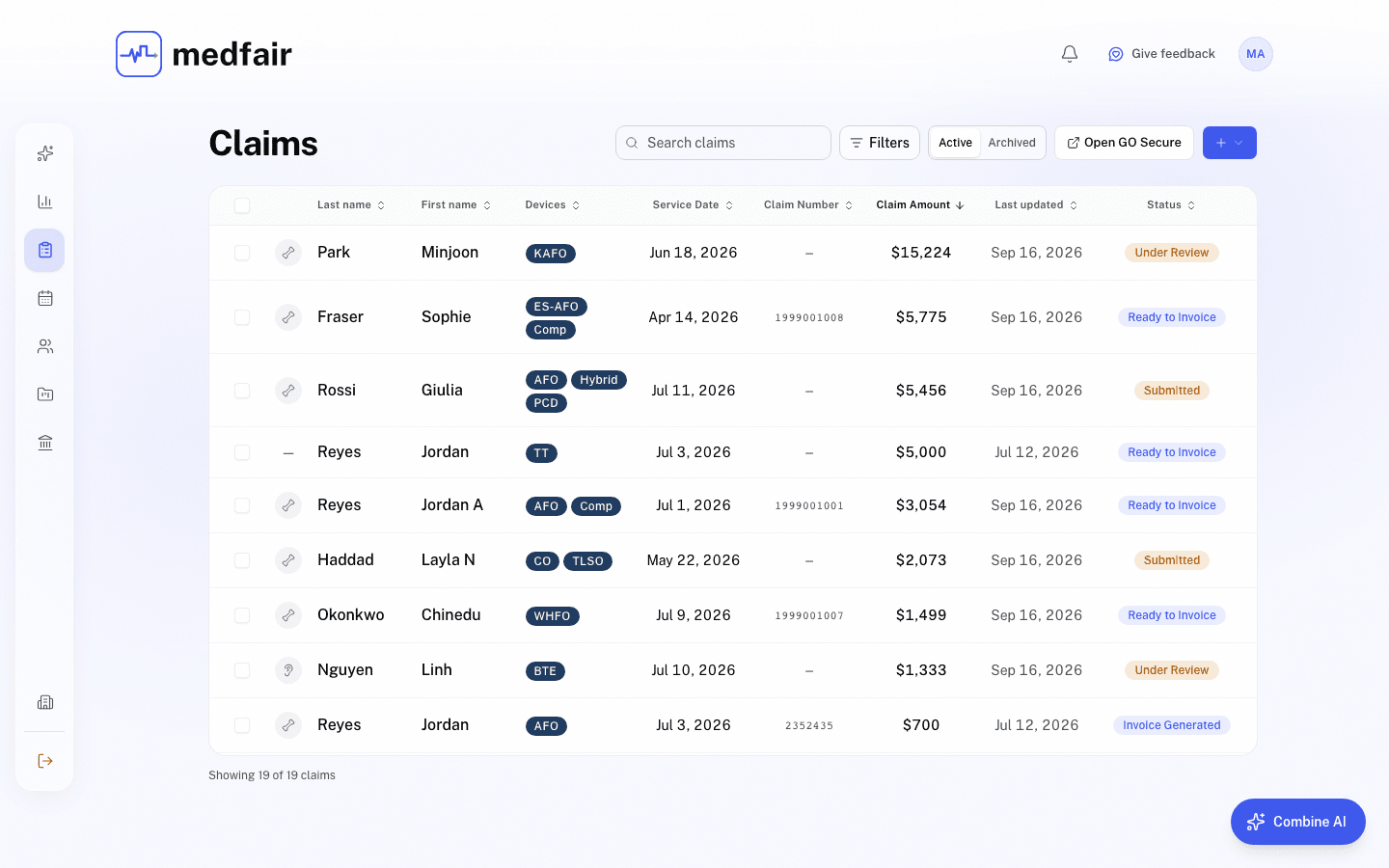
Turn patient information into claim-ready ADP paperwork.
Claims sit at the centre of Medfair rather than off to one side. Generate the right Assistive Devices Program application for each supported device category straight from the patient record, then follow the claim from draft to payment without losing track of what comes next.
- Autofill supported ADP forms from details already in Medfair
- Track every claim through draft, submitted, approved, invoiced, paid, rejected and withdrawn
- See the funder portion and the patient portion on every claim
- Generate MC-EDT invoice files and reconcile Ministry remittances
- Link each claim to its patient, appointments, project, invoice and payment
Less rebuilding, fewer status checks, and a clear path from application to payment.
Claim autofill is included on Pro and Health System. Medfair Free files ADP claims by manual entry.
Patient records
One patient file, ready for the next step.
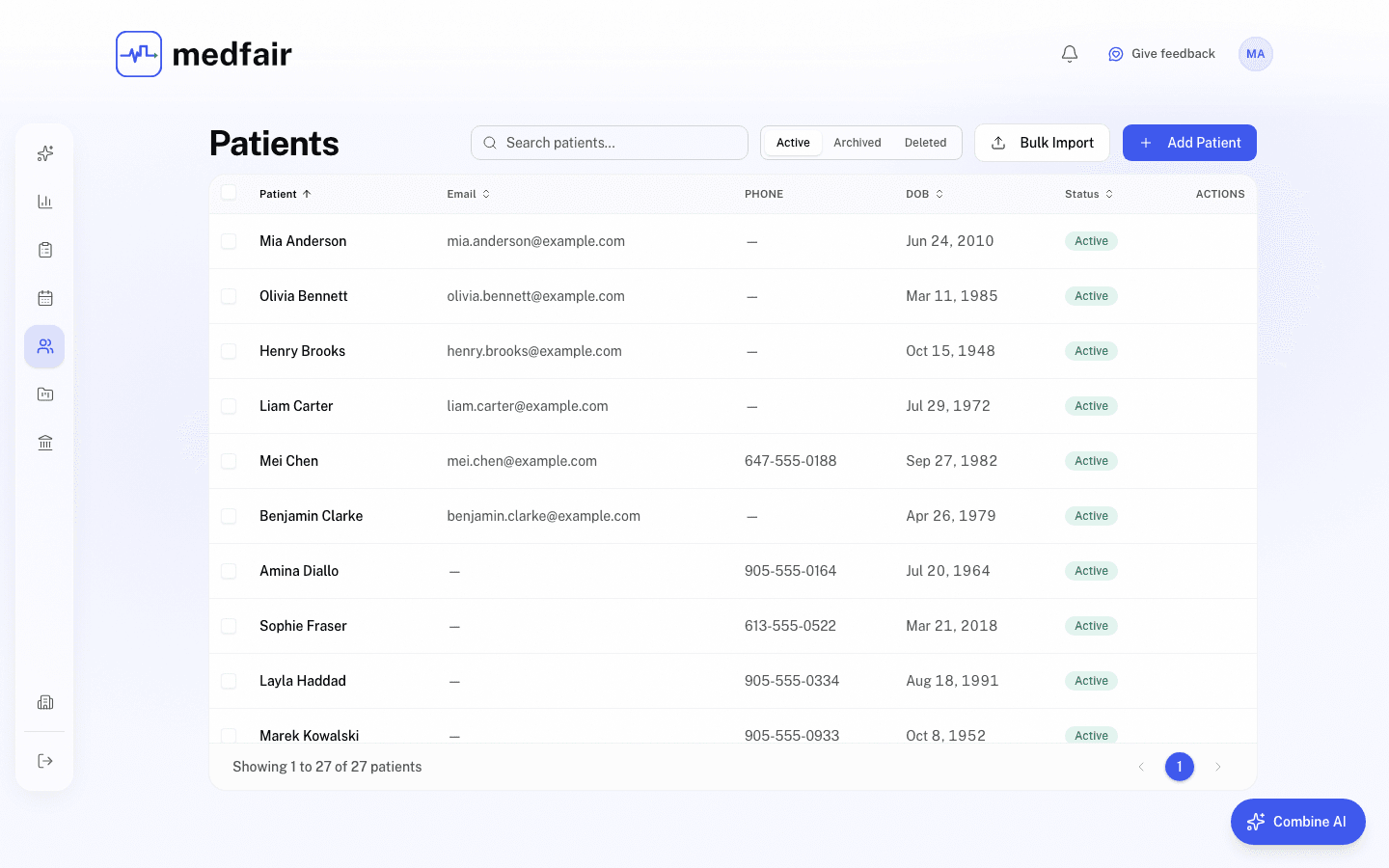
Give your team the whole picture without hunting across systems. Demographics, health card details, device history, funding eligibility, documents, consent, notes, claims, payments, appointments and projects all live in one organized file.
- See the full patient journey in one place
- Keep editable chart notes beside an append-only notes history
- Retract-only notes and a full audit trail keep everyone accountable
- Store documents, consent and funding details with the record
- Import patients in bulk with Combine AI
The context your front desk, clinicians and technicians need, without asking someone else where it lives.
Scheduling
A calendar that stays connected to care.
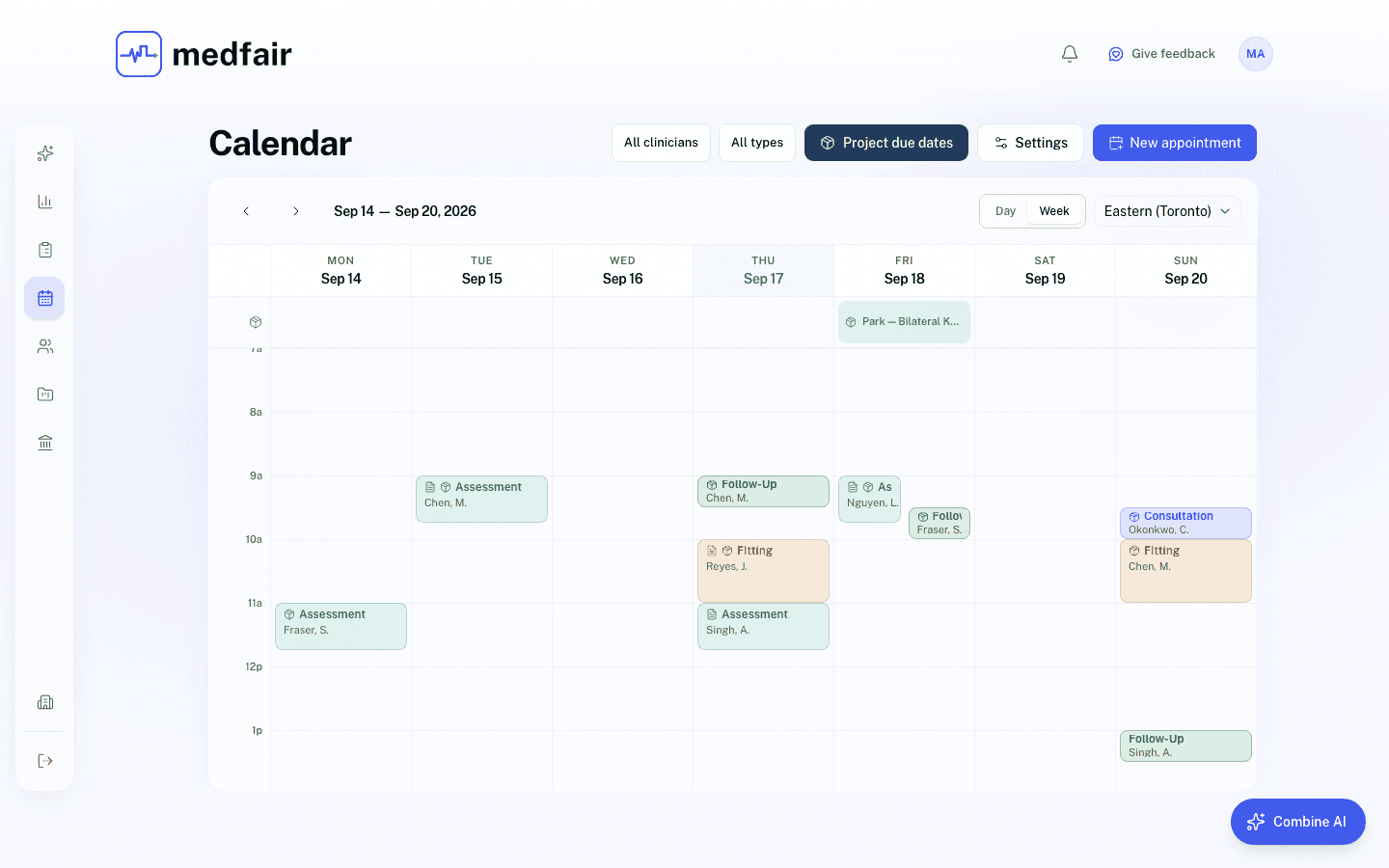
Book assessments, fittings and follow-ups with the patient and clinician already attached. Tie appointments to claims and device projects, so the team can see not only when someone is coming in but what the visit moves forward.
- Work from a focused day or week view
- Set clinic hours, recurring availability and closures
- Offer online self-booking with an embeddable widget
- Send consent-based confirmations, 24-hour reminders, rescheduling and cancellation emails
- Subscribe to a one-way calendar feed for each clinician
- See project due dates beside appointments
The clinical and operational context travels with every booking.
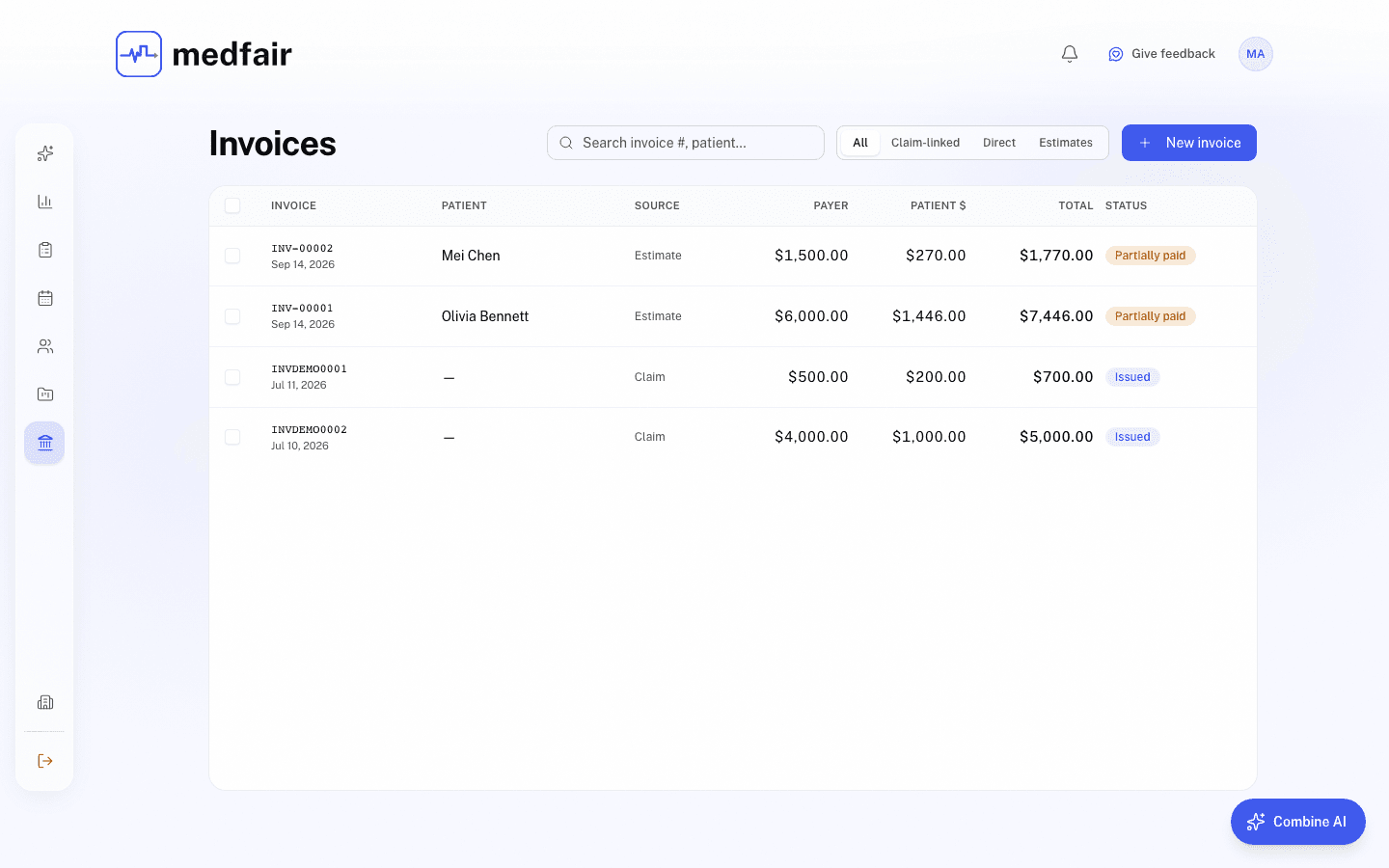
Invoicing and payments
Make the last mile of every claim easy to follow.
Create claim-linked or direct patient invoices, send a secure payment link, and track what has been paid from the same system your team already uses. Patients pay by card or bank debit on a hosted page, with no Medfair login.
- Create invoices with the funder and patient portions already split
- Generate PDF invoices and send them by email
- Accept card and bank-debit payments through Stripe
- Send payment links and reminders from the patient workflow
- View invoices, payments and balances in one ledger
- See your Stripe balance and ledger from the clinic wallet
From approved claim to settled balance, the numbers stay connected.
Device fabrication
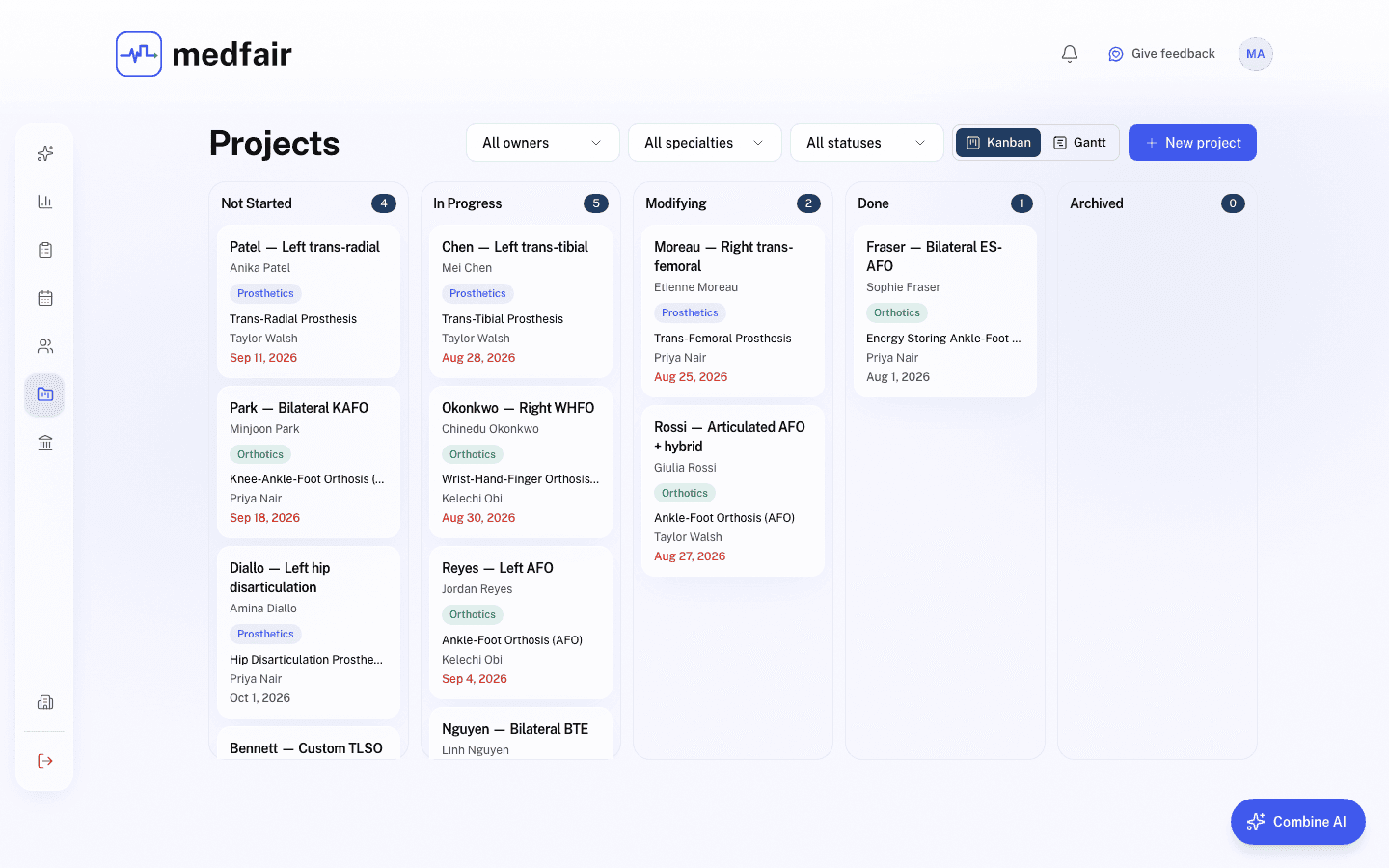
Keep every device build moving.
Track custom-device work on a board built around the stages your team already uses. Each project keeps the patient, owner, specialty, device, due date, claim, appointments, comments and files together, so the next step is always in view.
- Move work through Not Started, In Progress, Modifying, Done and Archived
- Assign an owner and an expected completion date
- Add append-only comments, attachments and working links
- Connect fabrication work to the related claim and appointments
- Surface due dates on the clinic calendar
Fewer “where is this?” moments, from assessment through fitting.
Combine AI
Run your clinic by asking.
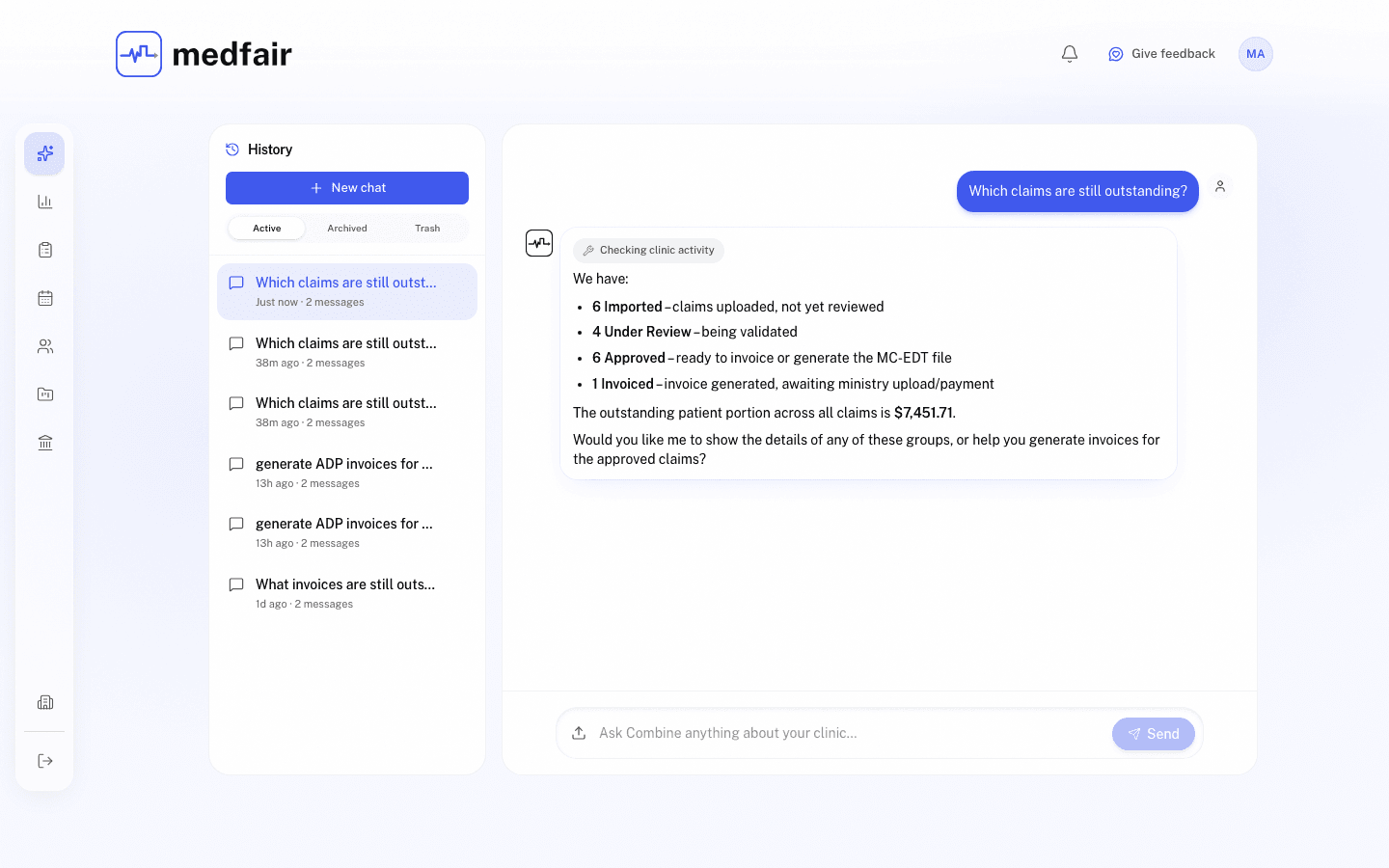
Combine AI is a conversational front door to your clinic's live information. Ask a question, have the next step prepared, and review the result before anything changes. New staff get productive without memorizing where every action lives.
Ask things like
- Which claims are still outstanding?
- Who is booked on Thursday?
- What is in this patient's file?
- How much revenue came in this month?
Prepare actions like
- Start an ADP claim
- Draft a note
- Book, reschedule or cancel an appointment
- Send a payment link or reminder
- Create a device project
- Import patients from a CSV, PDF or image
Ask, review, approve, and move on.
You stay in control.
Combine AI stages actions for review and writes nothing until a person confirms it. It works only inside your signed-in clinic, sends the AI model just the fields a question needs, and records every patient file it opens in that patient’s access log.
Staff, roles and wallet
Give every team member the right access.
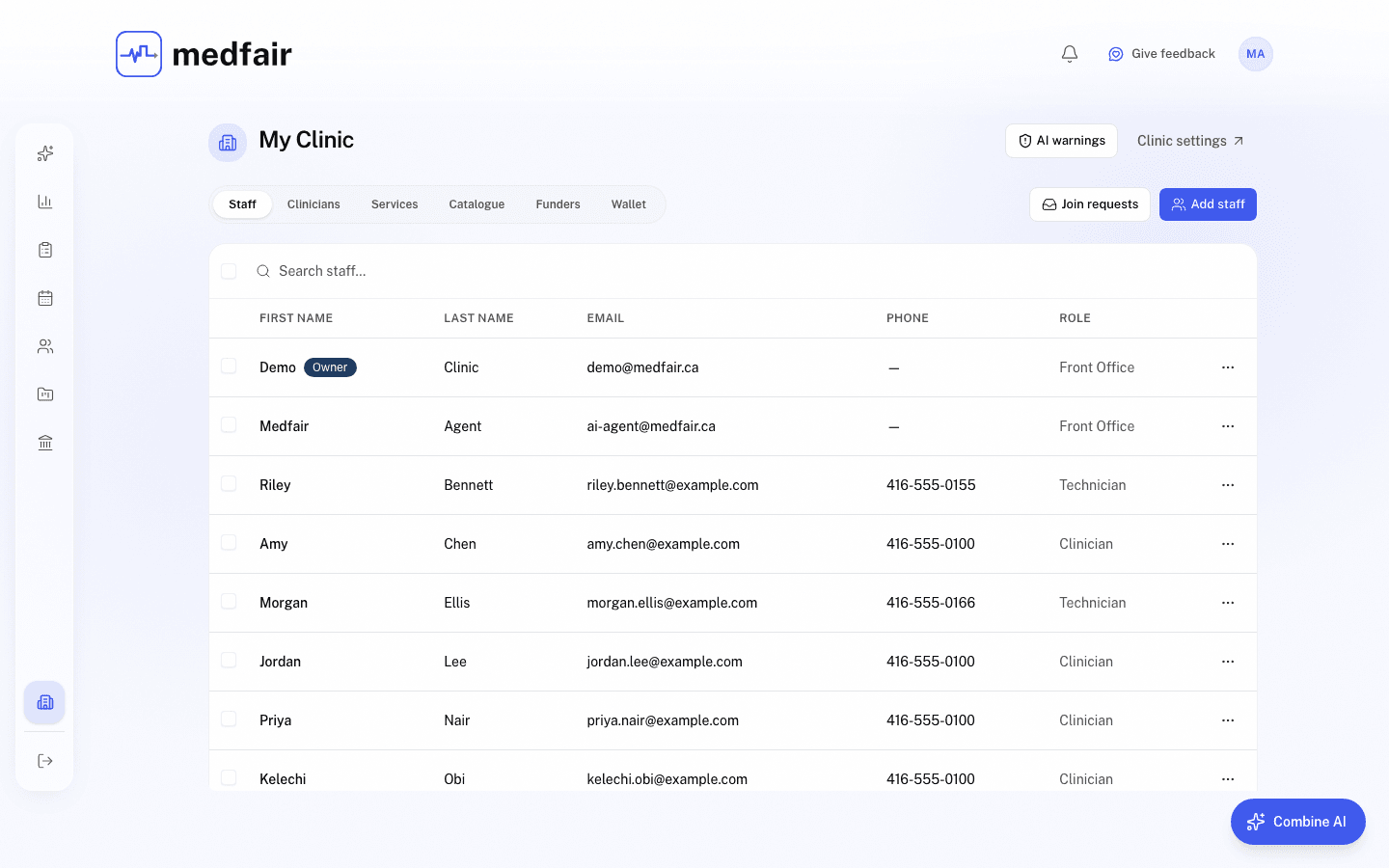
Manage staff and clinician rosters, invitations, join requests, roles, approvals and billing seats from one place. Owners and Front Office staff keep access tidy as the clinic grows, and each person works within a role that fits their responsibilities.
- Assign Owner, Front Office, Clinician and Technician roles
- Invite staff and review join requests
- Handle approvals from one notifications view
- Keep clinician and staff directories organized
- Track the seats used for clinic billing
- Open the clinic wallet and payment ledger
A simpler way to keep your team, permissions and clinic account in order.
Connected workflow
One record. Every handoff.
An appointment leads into an ADP claim. The claim stays connected to the device project. The approved amount becomes an invoice with the funder and patient portions already separated. Every step stays visible to the people responsible for moving it forward.
- 01
Appointment
An assessment is booked with the patient and clinician attached.
- 02
ADP claim
The visit leads into an application built from the patient record.
- 03
Device project
Fabrication stays linked to the claim and the follow-up fitting.
- 04
Invoice and payment
The approved amount becomes an invoice with funder and patient portions already separated.
Medfair replaces disconnected tools with one continuous clinic workflow.
Built for Canadian clinics
Your clinic’s work stays in the right hands.
Medfair is designed around Canadian privacy expectations, with clinic-scoped access and data hosted in Montréal. Combine AI prepares work for people to approve. It does not make clinical decisions or quietly change your records.
Read the privacy policy for the full detail.
- Canadian data residency
- Designed for PHIPA and PIPEDA
- Clinic-scoped access controls
- Human approval before any AI-prepared action is written
- Auditable patient-note history
Start with claims. Grow into the whole clinic.
Use Medfair Free to manage ADP claims, or try the complete clinic platform for 30 days. No credit card required.